How to Print Planner Stickers at Home
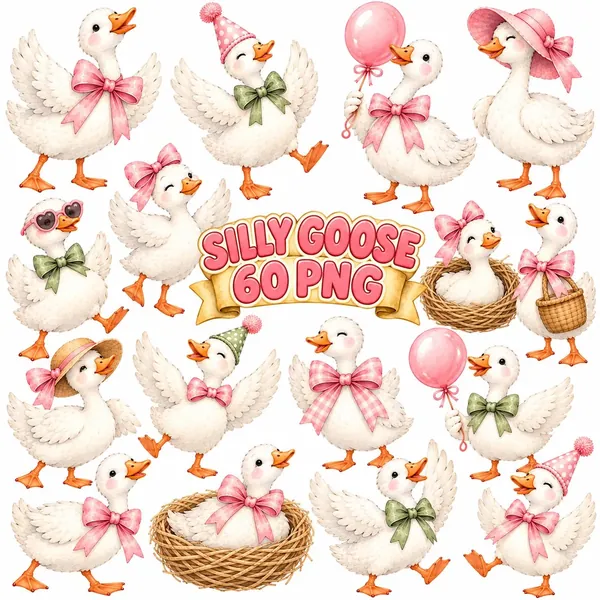
Printing your own planner stickers is cheaper than buying sheets and much more fun. You choose the designs, the sizes and the colors, and you can print a fresh sheet whenever you need one.
All you need is clipart with transparent backgrounds, sticker paper and a regular home printer. A cutting machine is a bonus, not a must.
What you need
- PNG clipart with transparent backgrounds
- Printable sticker paper, matte or glossy
- An inkjet or laser printer that matches your paper
- Scissors or a craft knife, or a Cricut or Silhouette
- Canva or another simple design app
Check the sticker paper packet before you buy. Inkjet paper and laser paper are different, and using the wrong one leads to smudges.
Choose the right sticker paper
Matte sticker paper is the easiest place to start. It hides small printing flaws, you can write on it with most pens, and it gives watercolor clipart a soft, painted look.
Glossy paper makes colors brighter and looks more like shop bought stickers. It can smudge before the ink dries, so let each sheet rest for a few minutes.
Clear sticker paper is lovely for planners with colored pages, but light colors may look faded on it. Test one sheet before printing a big batch.
Lay out your sticker sheet
Open a blank US Letter or A4 page in Canva. Upload your PNG files and drag the designs onto the page. Leave at least a quarter inch between stickers so you have room to cut.
Group stickers by use. A row of small icons for appointments, a row of larger characters for weekend spreads, and a few banners for headings make a sheet you will actually use.
Keep an eye on size. Small functional stickers work at about 0.75 to 1 inch tall. Decorative characters look best at 1.5 to 2 inches.
Printer settings that matter
Choose your printer's best quality setting. Select the paper type that matches your sheet, such as matte photo paper or glossy, so the printer uses the right amount of ink.
Always print at actual size or 100 percent. If the printer scales the page to fit, your layout and cut lines can shift.
Print one test page on plain paper first. Hold it over a sticker sheet to check the spacing before you use the good paper.
Cutting by hand
For simple shapes, cut a small rectangle or circle around each design. A thin white border looks neat and hides small wobbles.
For kiss cut stickers that stay on the backing sheet, use a craft knife with light pressure. Cut through the sticker layer but not the backing. It takes a little practice, so start with larger shapes.
Cutting with a Cricut or Silhouette
Upload each PNG to Cricut Design Space as a print then cut image. The software detects the transparent background and creates a cut line around the outline.
Add an offset for a white border if you like. Send the page to your printer, then load the printed sheet into the machine. It reads the registration marks and cuts each sticker exactly.
Use the washi or sticker setting and test one sticker first. Too much pressure cuts through the backing, too little leaves stickers stuck to the sheet.
Make your stickers last
Let the ink dry fully before cutting. If you want waterproof stickers, cover the sheet with clear laminating sheets or a spray sealant before cutting.
Store finished sheets flat in a folder, away from sunlight, so the colors stay bright.
Ideas for your first sheet
- Weekly icons for appointments, birthdays and bills
- Seasonal characters such as geese, bears or sea creatures
- Header banners for each month
- Small motivational stickers for habit trackers
Start small, print a sheet, and use it for a week. You will quickly learn which sizes and designs you reach for most.
Find more ideas on our Stickers & Clipart shelf.